
data retention manager
Salesforce Audit Data Retention, Beyond Native Limits
Data Retention Manager archives your Setup Audit Trail, Login History, and Field History — inside your own Salesforce org, with no data ever leaving your environment.
Salesforce Configuration History Doesn’t Last Forever
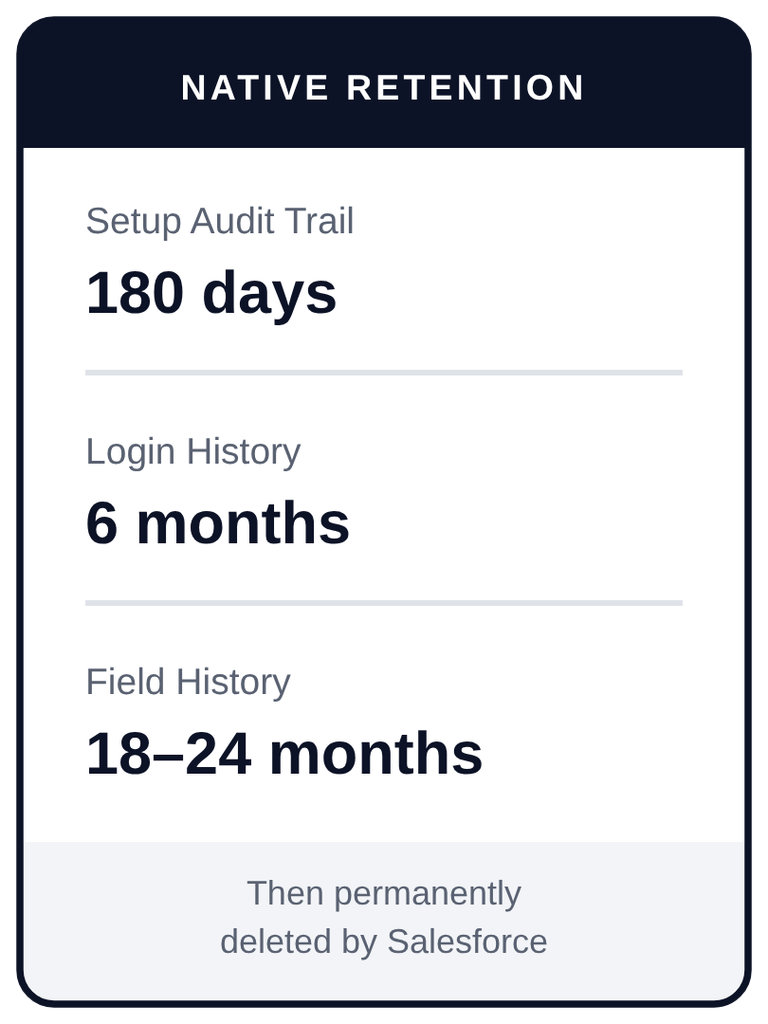
Salesforce retains Setup Audit Trail data for 180 days, Login History for 6 months, and Field History 18-24 months. After that, the records are permanently purged.
There is no recovery, no archive, and no way to retrieve them later.
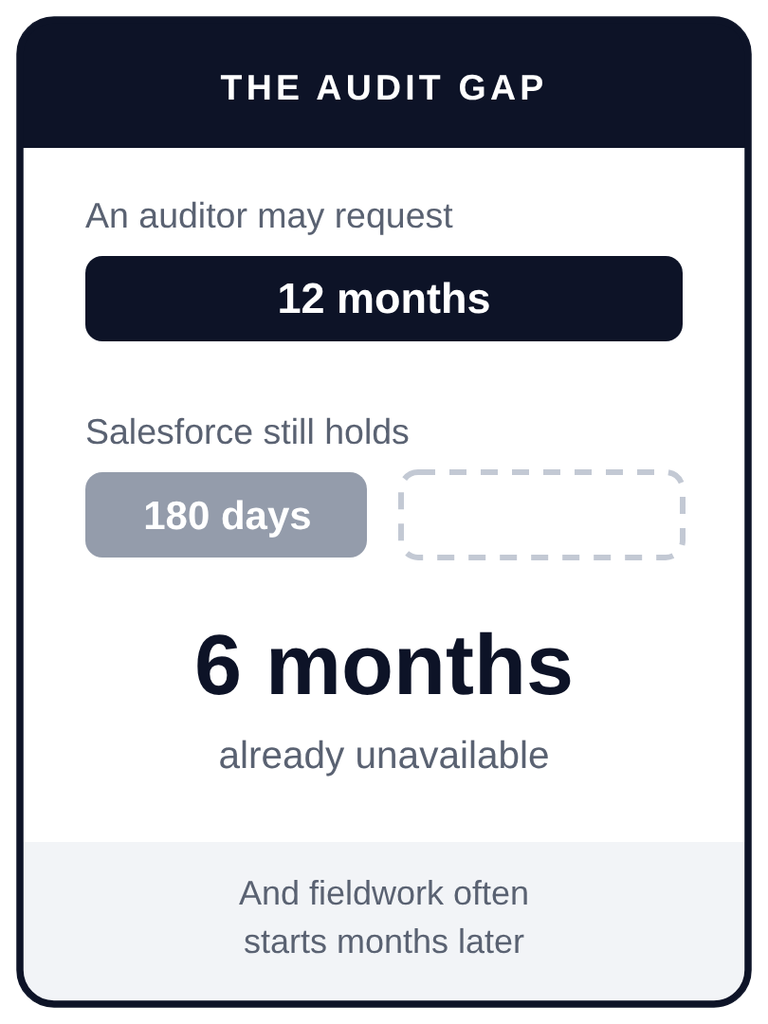
For most teams this goes unnoticed until the moment it matters: an auditor asks for twelve months of configuration change history, a security review asks who modified a permission set eight months ago, or a regulator asks for a record of administrative activity. Because auditors typically perform fieldwork weeks or months after a period closes, a twelve-month observation window can easily be more than half purged before anyone asks for it.
What Data Retention Manager Does
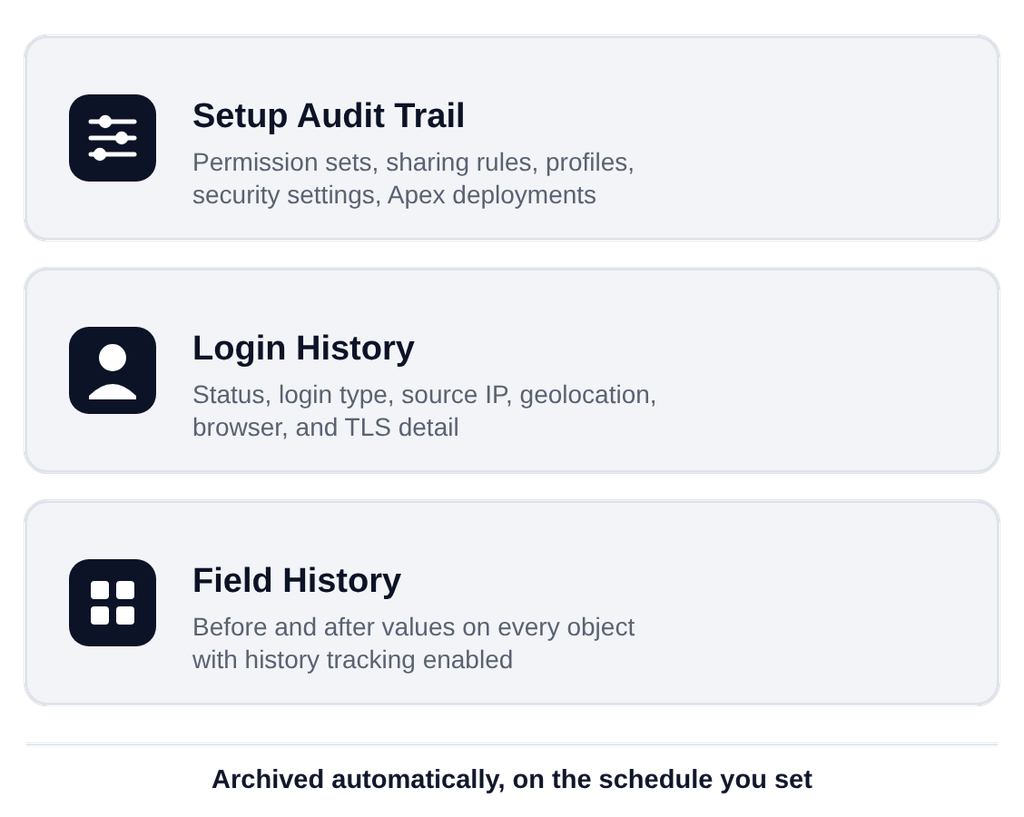
Data Retention Manager is a Salesforce-native managed package that automatically captures this data before Salesforce deletes it, and keeps it as long as you need. It archives three data types:
Setup Audit Trail
Configuration and administrative changes, including permission sets, sharing rules, profiles, security settings, and Apex deployments.
Login History
Authentication events with full session detail, including status, login type, source IP, geolocation, browser, and TLS and cipher information.
Field History
Before and after values on every object in your org that has Field History Tracking enabled. Tracked objects are discovered automatically, with no manual configuration required.
How It Works
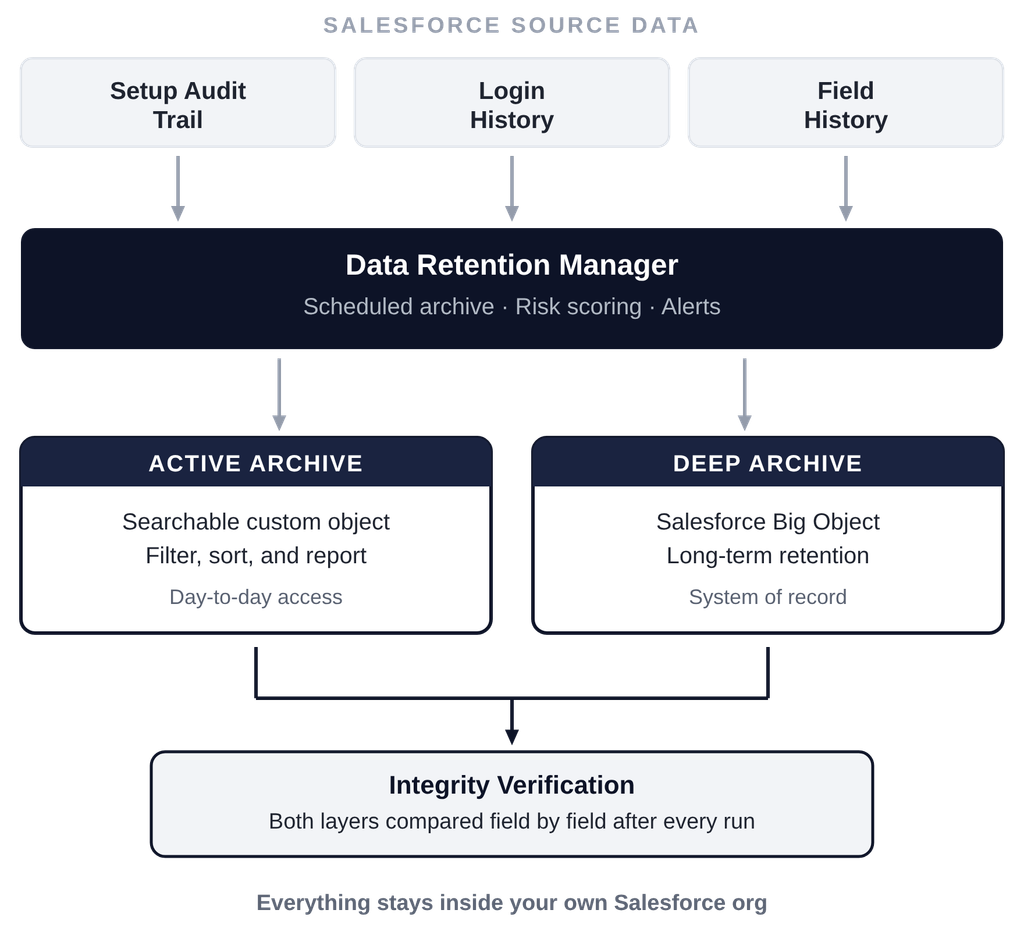
Dual-layer archiving. Every record is written to two independent stores: an Active Archive custom object that is fully searchable and sortable, and a Deep Archive Big Object that provides long-term storage outside your standard org data storage limits.
Integrity verification. A separate automated process compares the two layers field by field after each archive run, flags any discrepancy, and records the result in a verification log you can review and report on.
Risk scoring. Every archived event is classified Critical, High, Medium, Low, or Info against 50+ pre-configured rules. Rules are stored as configuration rather than code, so your team can modify or extend them without a deployment.
Automated alerts. Critical and high-risk changes trigger native in-app notifications to your administrators.
Search, filter, and export. Filter by user, date range, risk level, section, and status across all three data types, with CSV export of up to 10,000 records per download and custom report types for native Salesforce reporting.
Built to Pass Security Review
Data Retention Manager runs entirely inside your Salesforce org. There is no vendor-hosted infrastructure involved in its operation, which removes most of what a vendor security assessment normally has to evaluate.
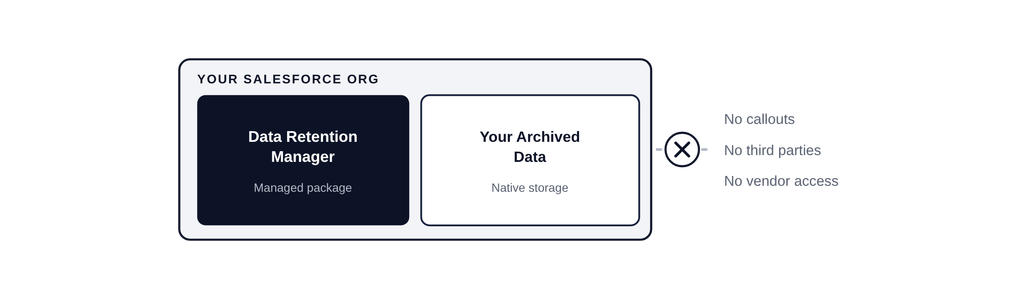
No data leaves your Salesforce org
No external callouts, integrations, or subprocessors
No vendor access to your archived data
Passed Salesforce security review
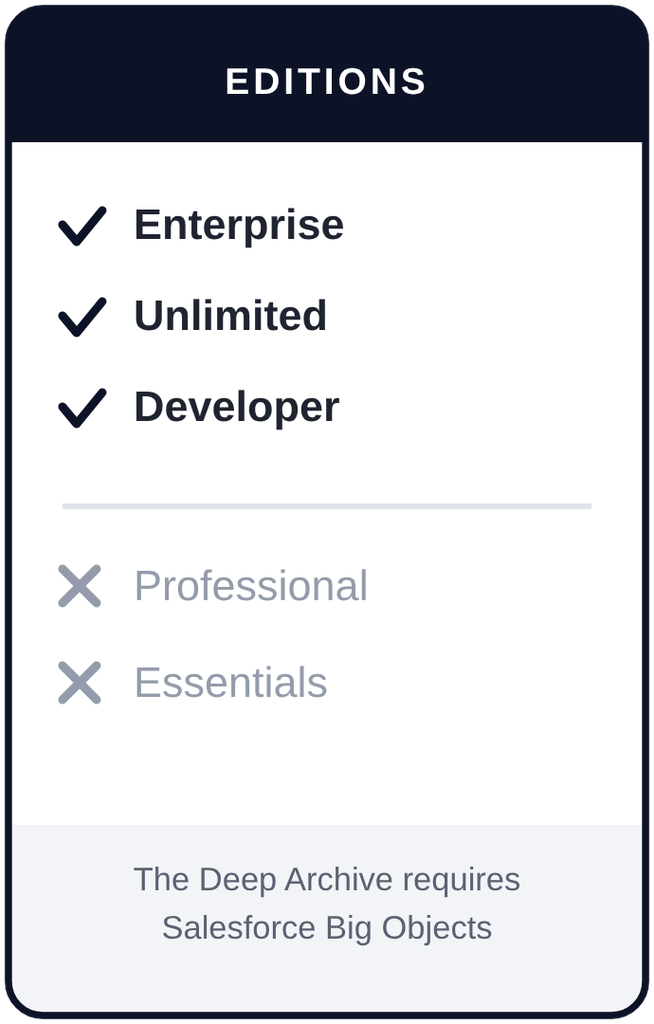
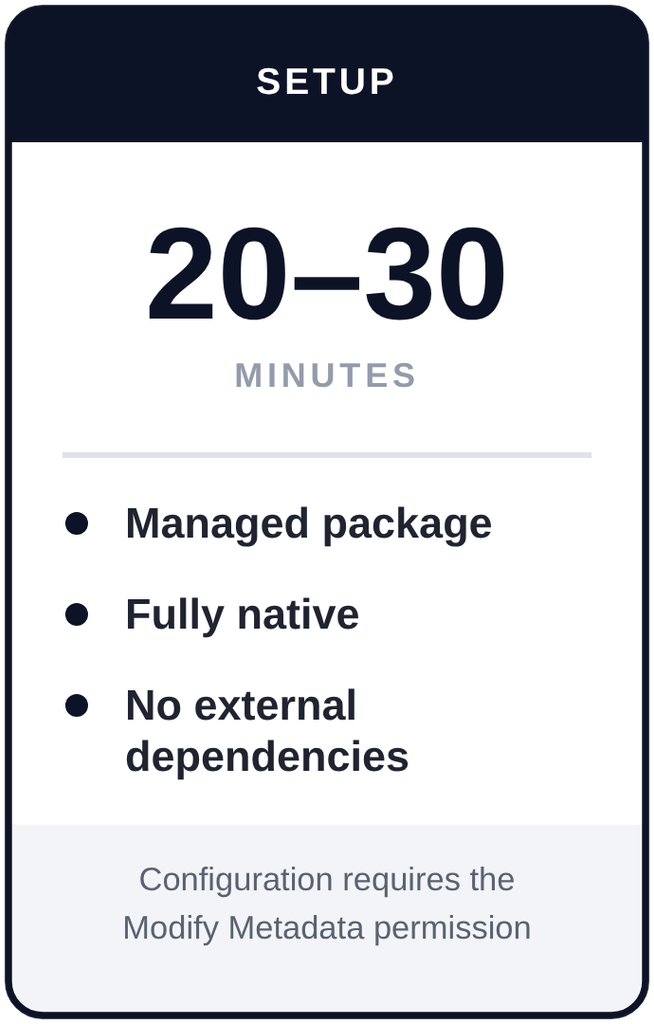
Requirements
Frequently Asked Questions
Find answers to commonly asked questions about Data Retention Manager.
How long does Salesforce keep Setup Audit Trail data?
Salesforce retains Setup Audit Trail records for 180 days. After that they are permanently deleted and cannot be recovered.
Does this replace Salesforce Shield?
No, and it is not intended to. Data Retention Manager focuses specifically on long-term retention and integrity of Salesforce’s native audit data.
Does any of my data leave my Salesforce org?
No. The application makes no external callouts and has no third-party integrations. All storage and processing happens inside your own org.
Will this count against my org’s storage or object limits?
Because Data Retention Manager is a managed package, its custom apps, tabs, and objects do not count against your Salesforce allocations. Active Archive records do consume standard data storage; Deep Archive records are stored in Big Objects, outside standard data storage limits.
Can I export archived records for an auditor?
Yes. Each archive can be exported to CSV, up to 10,000 records per download, in formats aligned with Salesforce’s native export layouts. Custom report types are also included for building reports with standard Salesforce reporting tools.
Does it delete data when a retention period expires?
No. Retention frameworks calculate an informational expiry date only. The application never deletes archived data; all data lifecycle decisions remain yours.
Does this make my org compliant with SOX, HIPAA, or SOC 2?
Data Retention Manager is a data archival and monitoring tool, not compliance certification. Retention framework names in the application are configurable labels that set a retention duration. You should consult qualified legal and compliance professionals about your specific obligations.
Install from Salesforce AgentExchange and begin retaining your data.